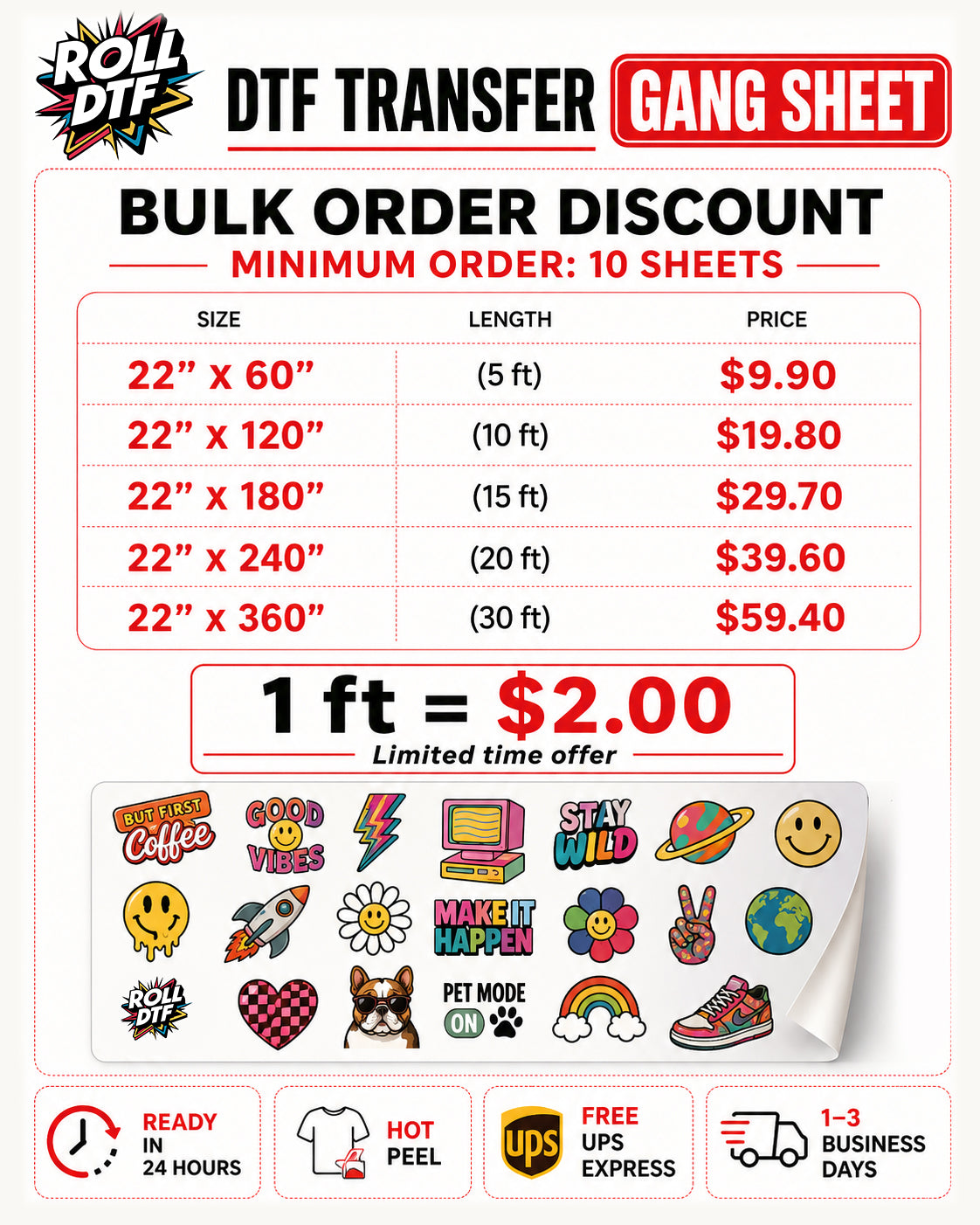
The Bulk Sheet Builder is made for customers who need multiple DTF transfers in one order. Upload your designs, select the sizes you need, set quantities, and build a high-volume order faster.
This option is ideal for print shops, apparel brands, teams, events, wholesale orders, repeat designs, and production runs. Bulk ordering helps simplify your workflow, reduce manual setup time, and keep your transfer production organized.
How Bulk Sheet Builder Works
Upload your print-ready artwork, choose the transfer sizes you need, and enter the quantity for each design.
The Bulk Sheet Builder helps you organize multiple designs and quantities in a single order, making it easier to manage production for larger jobs.
Before checkout, carefully review each design, size, and quantity. We print based on the submitted order details.
↓ Why Use Bulk Order?
Bulk ordering is useful when you need many transfers, multiple designs, or repeat quantities in one production run.
It helps reduce back-and-forth ordering, keeps your files organized, and makes it easier to prepare jobs for customers, teams, stores, or events.
This is the best option for customers who already know the sizes and quantities they need.
↓ Recommended Artwork Settings
For best results, upload high-resolution artwork with a transparent background. PNG files are recommended for most designs.
We recommend 300 DPI artwork whenever possible. Low-resolution, blurry, pixelated, or compressed artwork may print exactly as uploaded.
Make sure each design is cleaned, cropped, centered, and ready to print before uploading.
↓ Bulk Order Tips
Double-check every size, quantity, and file before placing your order.
Use clear file names if you are uploading multiple designs. This helps you stay organized and makes order review easier.
If you are producing for a customer, team, or event, confirm all sizes and quantities before checkout to avoid production mistakes.
↓ Why Choose DTF Transfers?
DTF transfers work on many fabric types and colors, including cotton, polyester, cotton/poly blends, hoodies, tote bags, and more.
Unlike vinyl, DTF allows full-color artwork, gradients, small details, and complex graphics without weeding.
Our hot peel DTF transfers are designed for fast application, vibrant color, soft feel, and long-lasting results when pressed correctly.
↓ General Application Settings
Temperature: 290–320°F
Time: 8–15 seconds
Pressure: Medium pressure, around 35–45 PSI / 3–4 bar
Peel: Hot peel — remove the film immediately while warm
For best results, always pre-press your garment to remove moisture and wrinkles before applying the transfer.
↓ Fabric-Specific Recommendations
| Fabric | Temp | Time | Notes |
|---|---|---|---|
| Cotton | 310–320°F | 12–15 sec | Durable, best wash resistance |
| Polyester | 285–300°F | 8–10 sec | Lower heat to avoid scorching |
| Cotton/Poly Blends | 300–310°F | 10–12 sec | Helps reduce dye migration |
| Spandex / Lycra | 285–295°F | 8–10 sec | Do not overstretch fabric |
| Denim | 320°F | 15–20 sec | Use firm pressure |
| Fleece / Wool | 300°F | 12–15 sec | Pre-press to flatten |
| Leather / PU | 275–285°F | 6–8 sec | Test first, low heat only |
Heat presses may vary. Always run a small test press before large production, especially on polyester, coated fabrics, stretch fabrics, leather, or PU materials.
↓ DTF Transfer Care Instructions
Wash inside out at 30°C / 86°F.
Do not bleach, tumble dry, or iron directly on the design.
Wait at least 24 hours before the first wash for best durability.
↓ Bulk Order FAQ
Who should use Bulk Sheet Builder?
It is best for print shops, apparel brands, teams, events, and customers ordering multiple transfers at once.
Can I upload multiple designs?
Yes. You can upload multiple designs and set sizes and quantities for your bulk order.
Should I mirror my artwork?
No. Please upload your artwork in the correct reading direction. We handle the print setup.
Will you check my sizes and quantities?
We print based on the submitted order details, so please review every design, size, and quantity before checkout.
Share